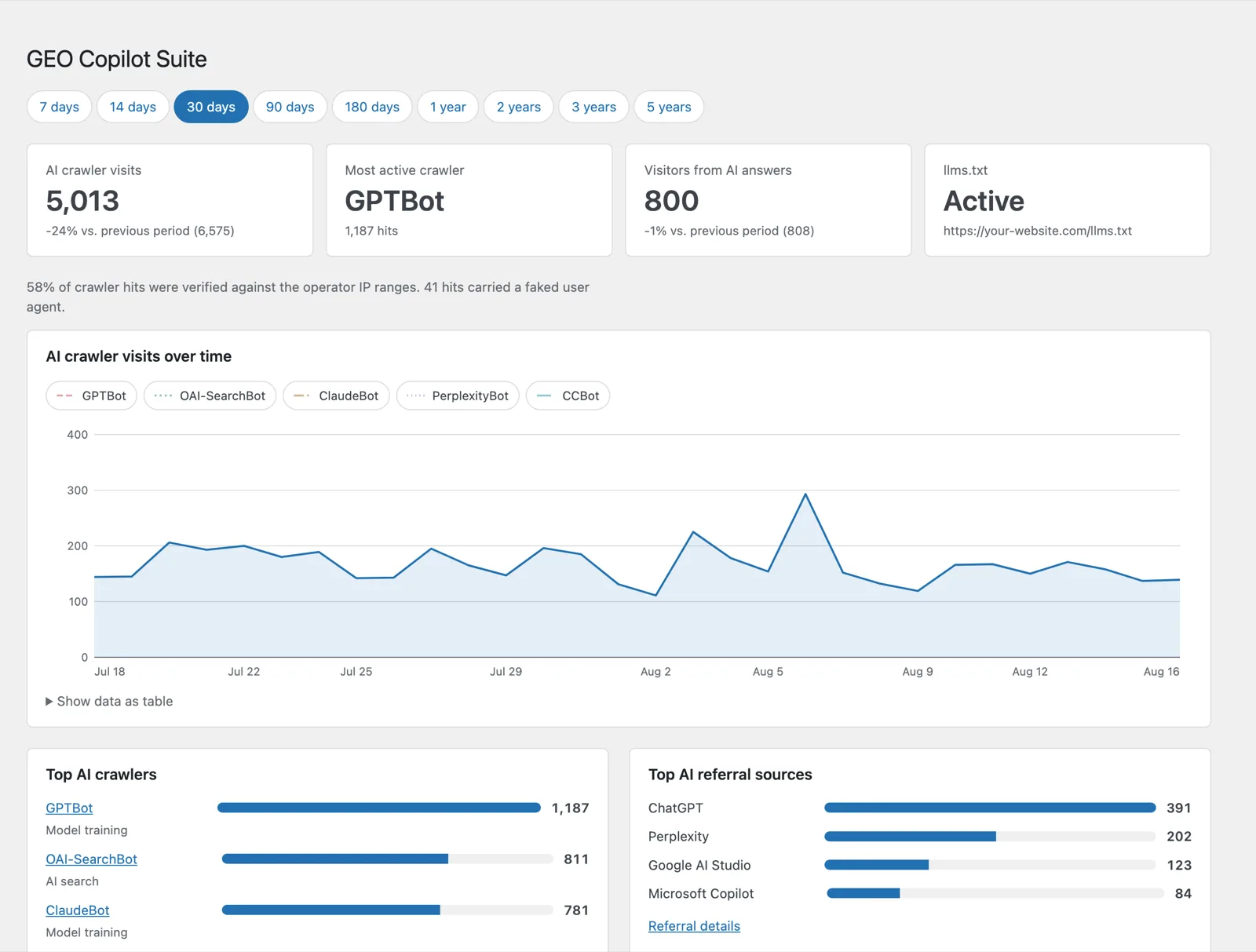
The short version
- What it measures: which AI crawlers request which of your pages, how often, and how many of those hits verify against the IP ranges the operators publish.
- What it also counts: visitors who click through to your site from an AI answer — no cookie, no stored IP address, and it keeps working behind a full page cache.
- What it controls: a generated
llms.txtand your robots.txt rules per crawler, separated by purpose (training, AI search, user-triggered fetch). - Where the data sits: only in the database of your own WordPress installation. No account, no cloud service, no telemetry.
- What it costs: nothing. GPL v2, and no pro version with features cut out of it.
- As of August 2026: 42 crawler signatures, 40 of them with their own user agent, plus 1,865 IP prefixes from five operators. Version 1.4.7, tested with WordPress 7.0 and PHP 8.5.
Every crawler on its own, with an explanation
A list of crawler names helps nobody. So every crawler gets its own curve and a few sentences on what sets it apart from the others — which is to say, on what you actually decide when you block it.
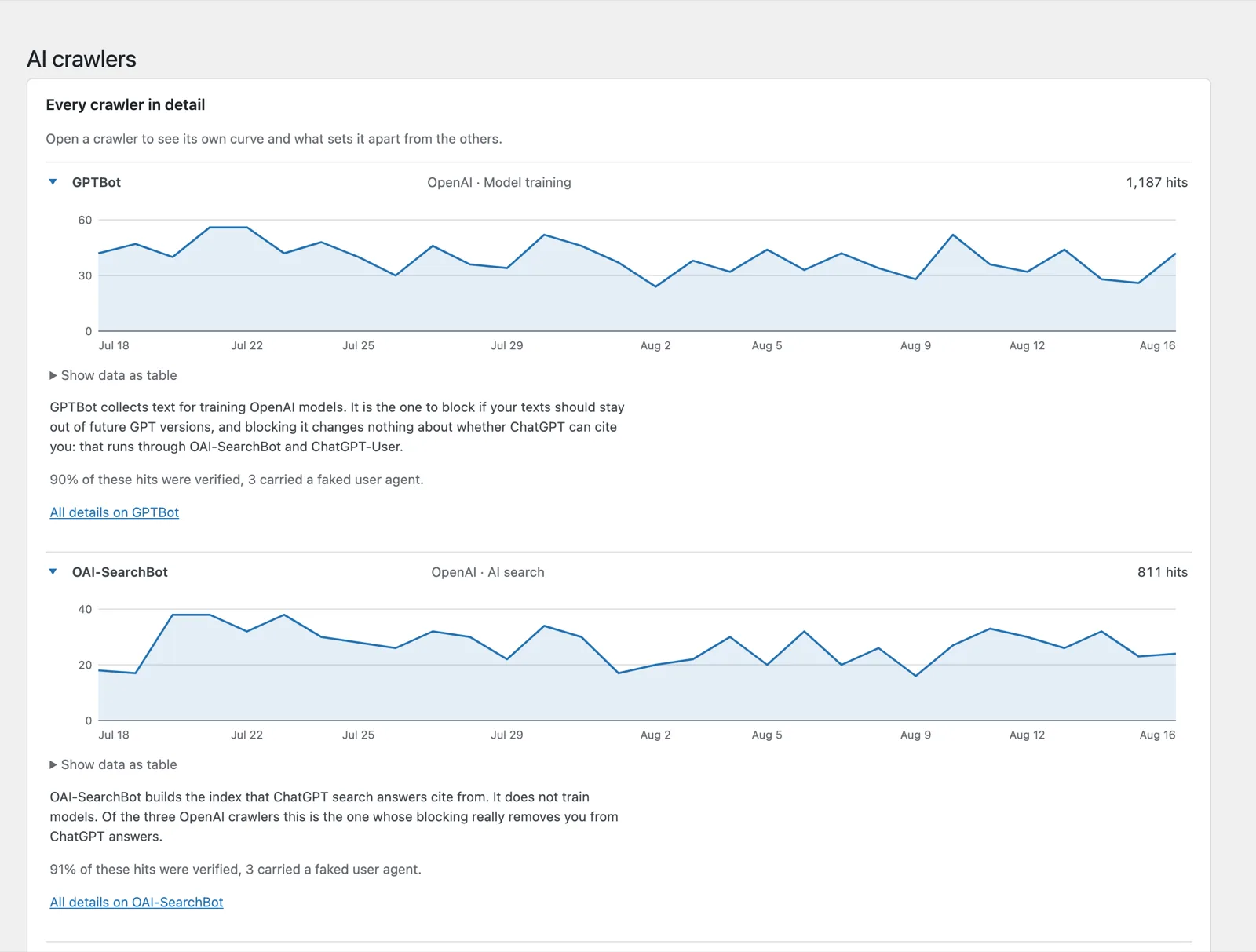
That difference is not a detail. GPTBot collects text for model training — blocking it keeps your texts out of future GPT versions. It changes nothing about whether ChatGPT can cite you: OAI-SearchBot and ChatGPT-User do that. Treat all three the same and you disappear from the answers without meaning to. The operators document their own user agents: OpenAI, Anthropic and Google all publish lists. The plugin keeps its signatures current through a signed weekly update.
Which pages are being read at all
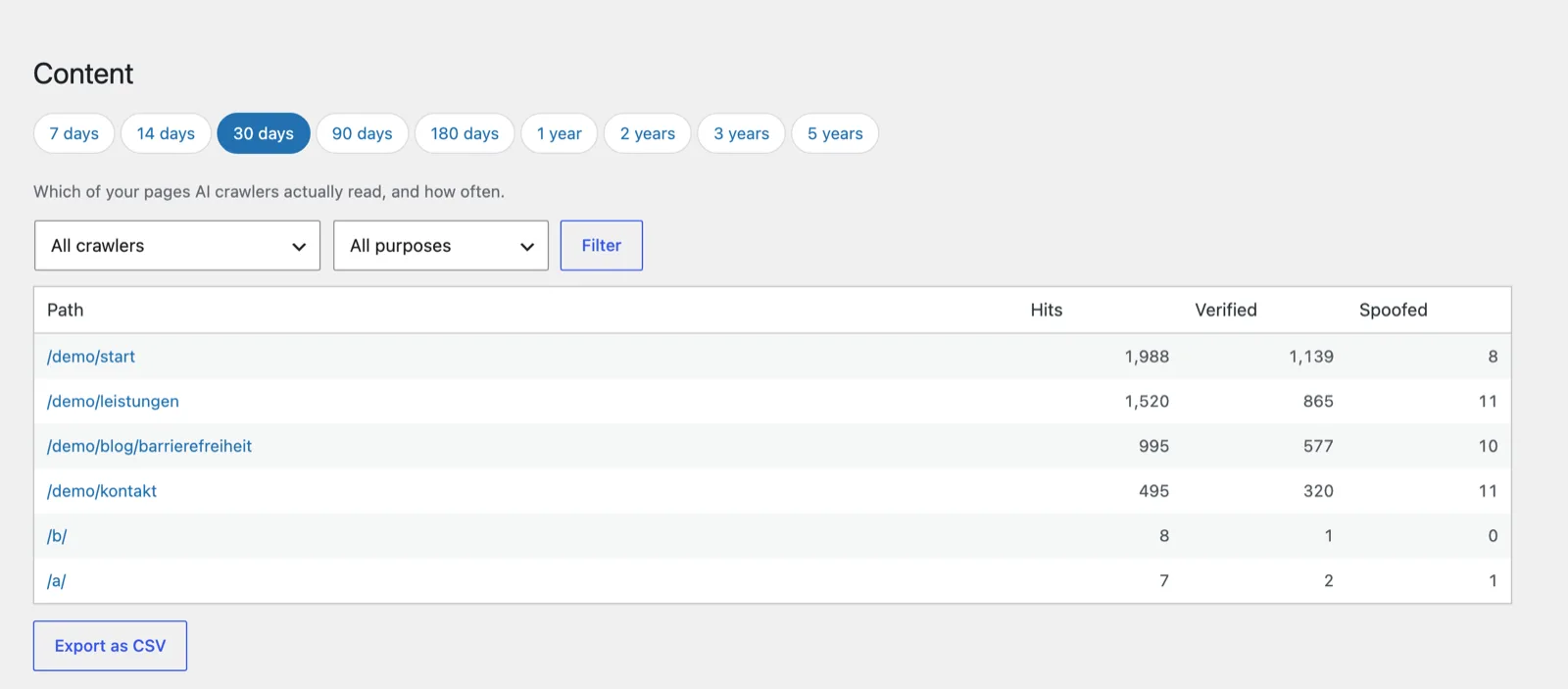
Usually more interesting than the total: what gets read — whether the crawlers sit on your guides or on your contact page. The content view lists every path with hits, verified hits and faked user agents, filtered by crawler and purpose, exportable as CSV.
Visitors from AI answers
Crawler hits are one half. The other half are people who read an answer in ChatGPT, Perplexity, Gemini or Copilot and then click through to you. A small script reports only the referring service and the landing page — no cookie, no browser storage, no IP address, no fingerprint.
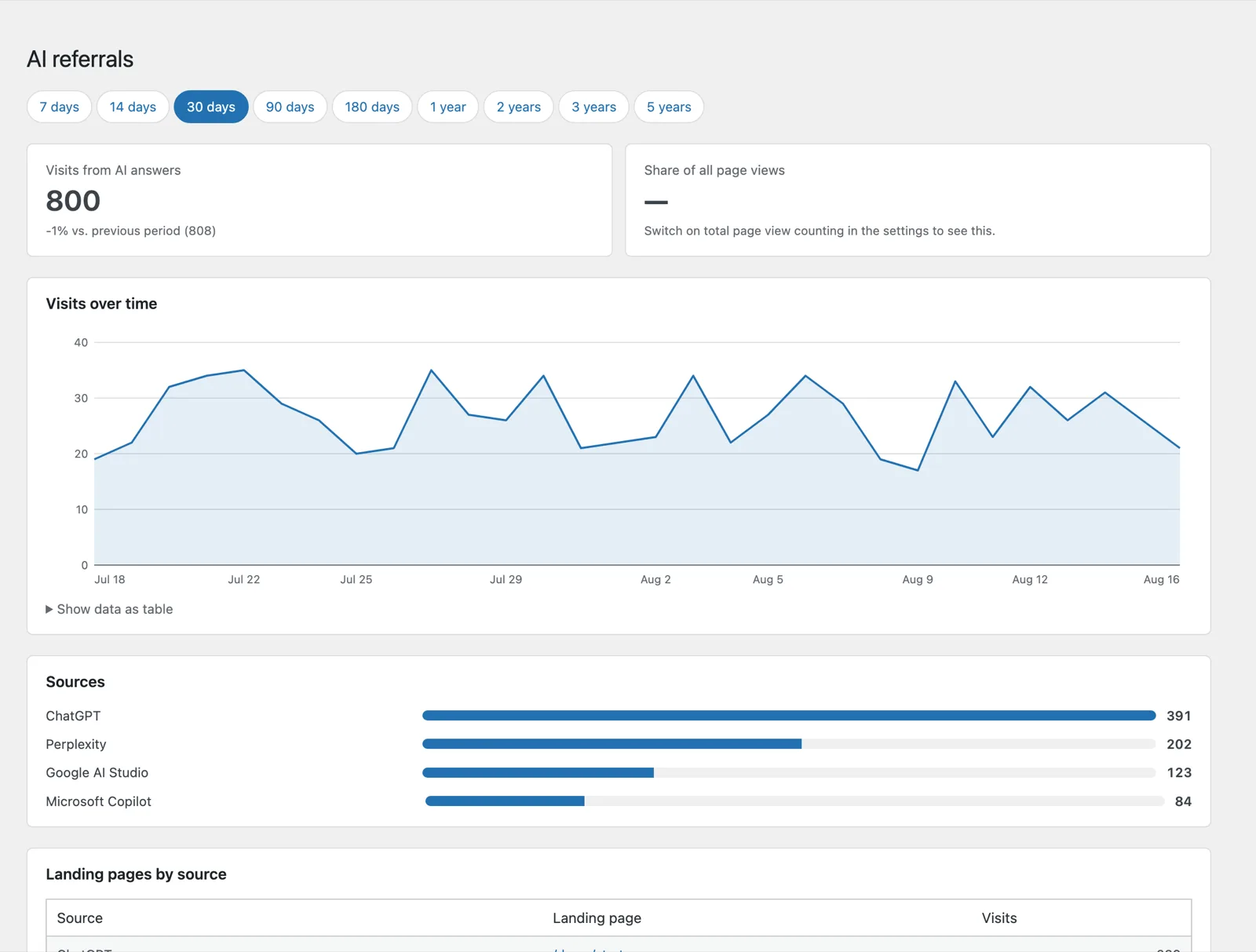
Because the counting happens in the browser, it survives a full page cache. How you show up in those answers in the first place is a separate question, and the German knowledge hub covers it for ChatGPT and Perplexity.
llms.txt and robots.txt without hand editing
The robots.txt screen groups every known crawler by purpose and offers four presets — from "no changes" to "block everything". Per crawler exceptions win over the preset. If a physical robots.txt sits in your web root, the plugin warns you instead of quietly doing nothing.
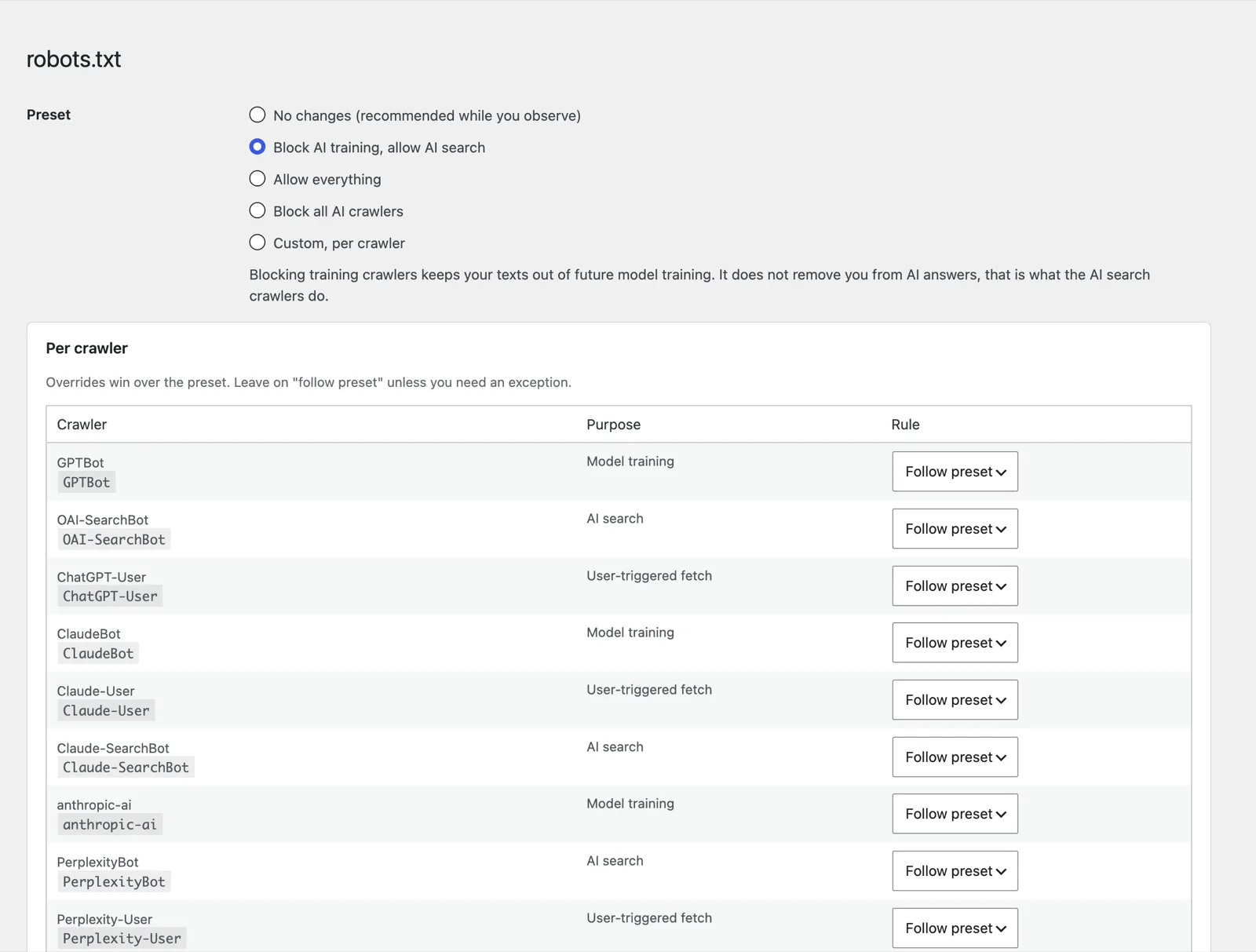
On top of that the plugin can publish an llms.txt — automatically from your content or curated by hand, with a warning if another plugin already serves one.
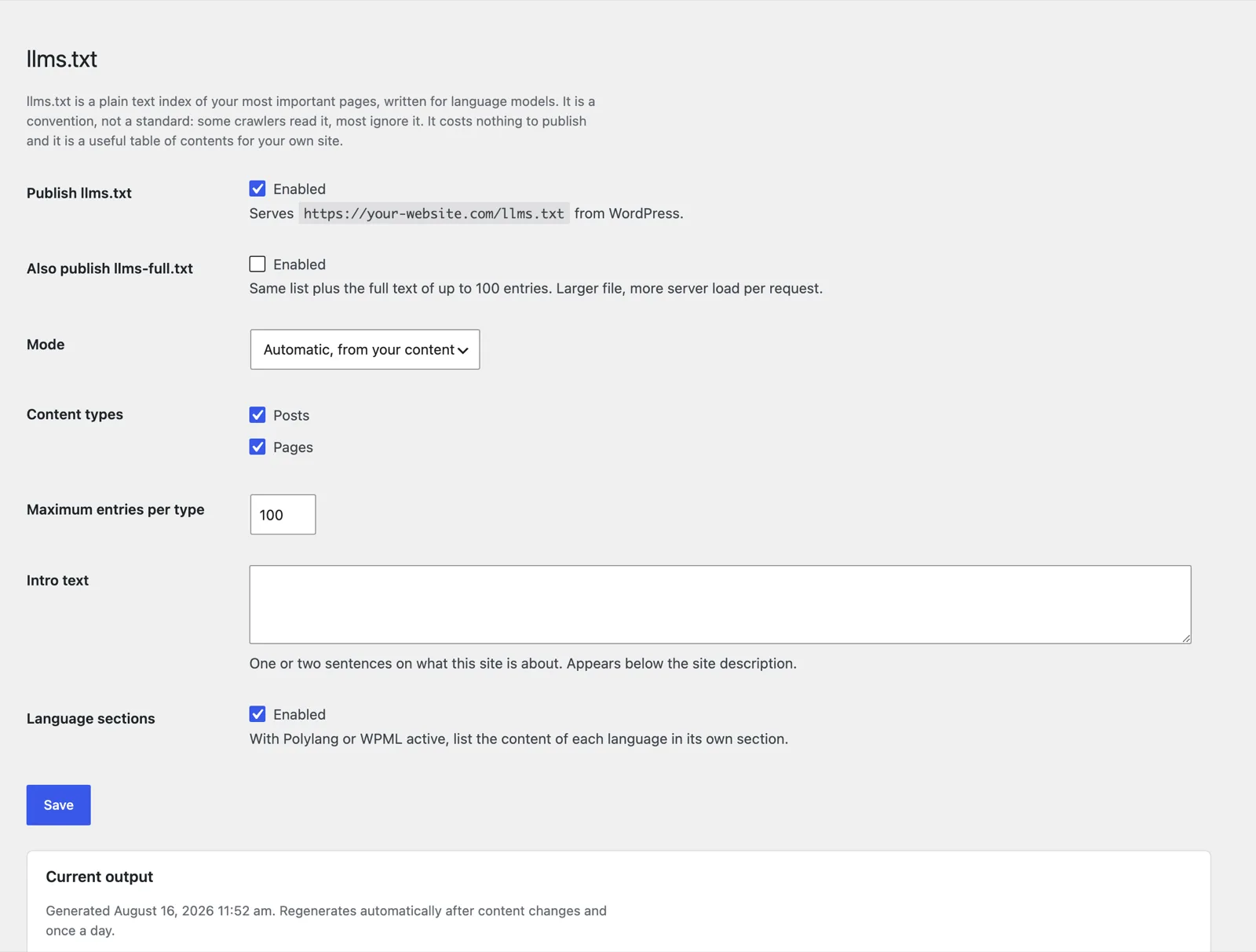
An honest assessment: we think llms.txt is overrated. It is a convention, not a standard, and as of August 2026 not one of the large operators documents that it reads the file. It costs nothing and doubles as a decent table of contents for your own site — expect no more than that. What actually helps is covered in llms.txt erklärt and strukturierte Daten für KI, both in German.
What the plugin cannot do
The most uncomfortable finding while building it was cache blindness. Every crawler counter that hooks into PHP undercounts as soon as a full page cache answers the requests — which is the case on most well maintained WordPress sites. We looked for a way around it for a long time and found none that works without server access. So the plugin simply says so: cache detected, numbers are a lower bound. Importing server log files would be the clean solution and is planned for later.
Also not included: positions in AI answers, competitor comparisons and citation monitoring. That is what the AI visibility check on this site is for, and its methodology is documented in the open. Whether a given measure is worth taking at all is not a question a plugin answers — the knowledge hub is for that.
What gets stored
From crawler hits: timestamp, path, status code, verification result and a shortened IP prefix. Full IP addresses never reach the database. From visitors out of AI answers: the name of the referring service and the landing page, nothing else.
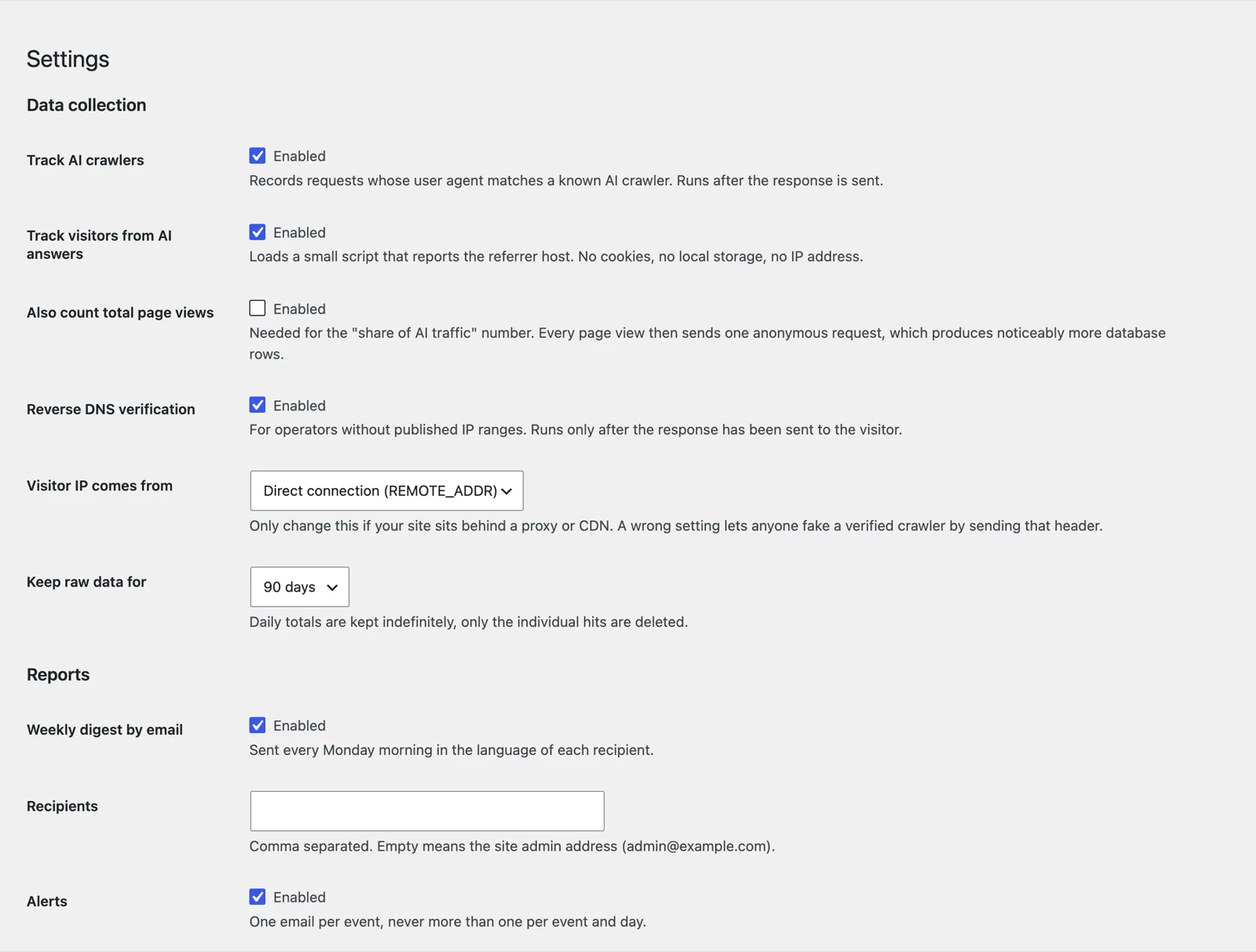
Individual hits are deleted after a period you choose (90 days by default); the anonymous daily totals stay. Uninstalling removes tables, options and scheduled events without a trace, unless you tell it otherwise.
Which data protection rules apply to you depends on your country — the plugin says as much in its own settings. It ships suggested privacy policy text; the assessment stays with you. How we handle it on this site is in our privacy policy, in German.